Room Move Tracking
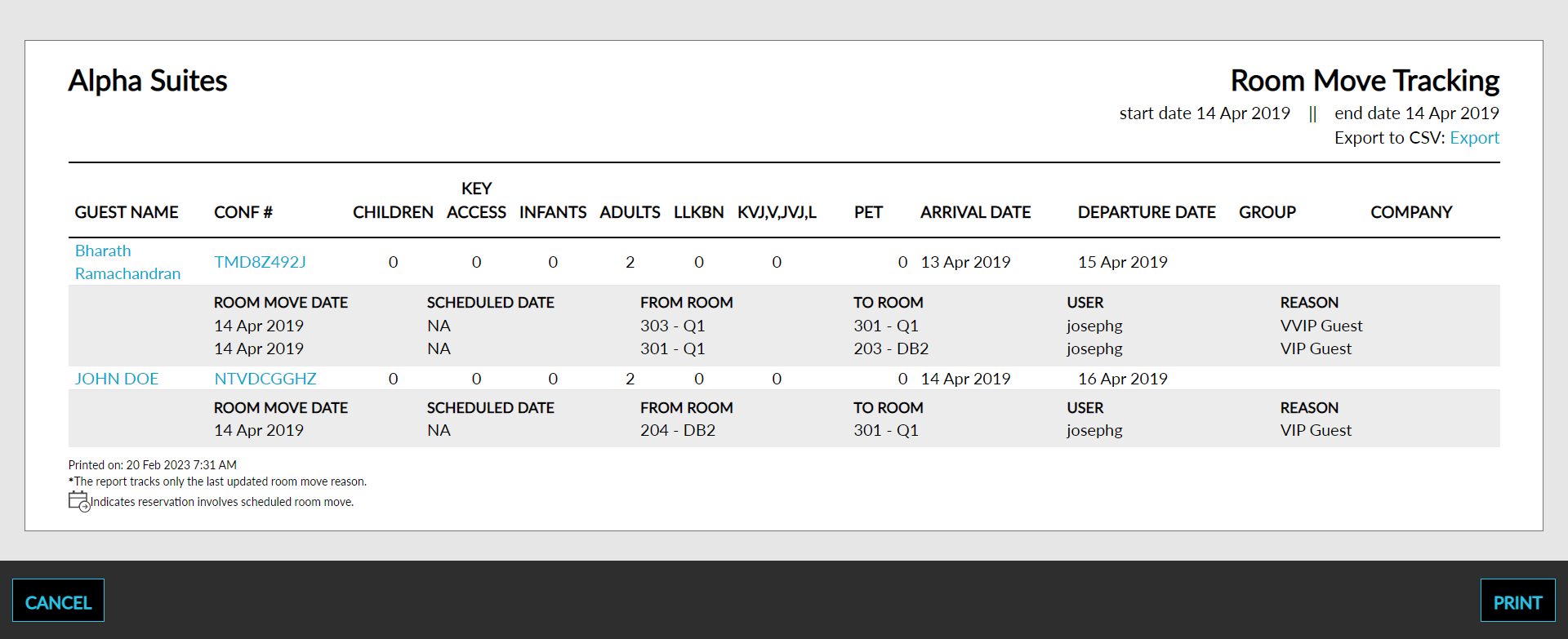
The Room Move Tracking report allows users to capture room moves and the reason for room movement.
Perform the following steps to generate the report:
Navigate to Reports ➜ All Reports ➜ Housekeeping ➜ Room Move Tracking.
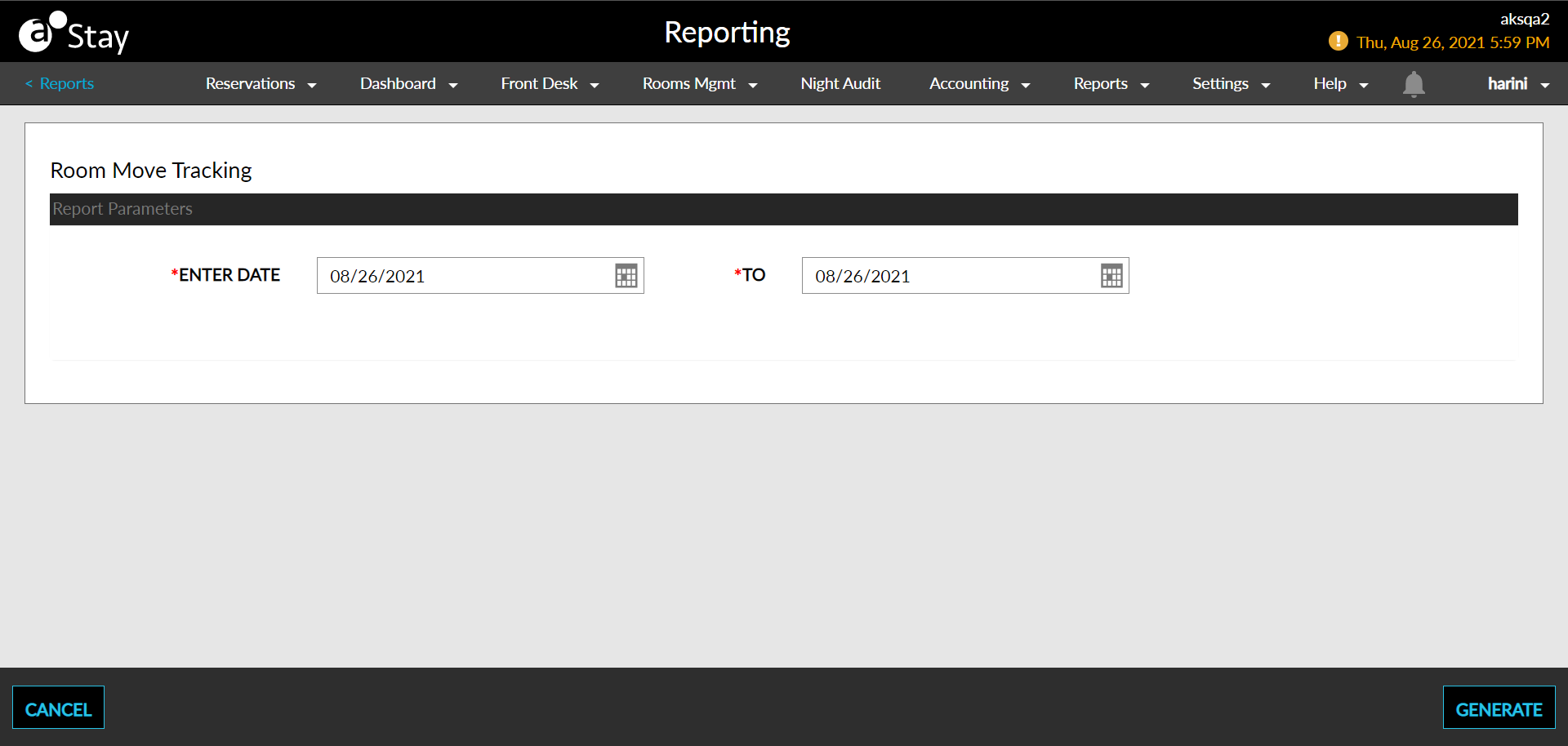
Select the Start Date and End Date fields from the calendar to generate dates for the report.
Click Generate. The report with the selected data appears.
Click Print to send a copy of the report to the printer.
Sample Report
Report Parameters
This report displays the following parameters:
|
Field |
Description |
|---|---|
|
Room Move Date |
The date the room move was initiated. |
|
Guest Name |
The guest name on the reservation. |
|
Reservation Confirmation Number |
The confirmation number for a reservation. |
|
Adults |
The number of adults in the reservation |
|
Children |
The number of children in the reservation. |
|
Pet |
The number of pets in the reservation. |
|
Arrive |
The arrival date of the reservation. |
|
Depart |
The departure date of the reservation. |
|
Group |
The name of the group. |
|
Company |
The name of the company. |
|
User |
The username used to make the changes to the reservation. |
|
Reason |
The reason the room movement was initiated. |